Workspace Setup for Chronic Pain: 4 Ergonomic Fixes + Guide
Ergonomic workspace setup for chronic pain: chair height, monitor position, lighting + 30-day plan. Budget options $0-1500. Complete guide.
8/4/20267 min read
Ergonomic Workspace Setup for Chronic Pain:
The Science
If you manage chronic pain, your workspace isn't just where you work, it's part of your treatment plan.
A poorly set-up desk can trigger flare-ups that derail your entire week. The right setup? It becomes invisible. You sit down, and your body just... works. No sharp lower back pain at 2 PM. No neck tension by the end of the day. No that-shooting-feeling-down-your-arm that makes you want to quit.
The good news: you don't have to choose between ergonomic and beautiful. In this guide, I'll walk you through exactly how to set up a workspace that supports your body AND looks like the kind of place you actually want to spend 8 hours.
Why Workspace Setup Matters for Chronic Pain
Your workspace is a biomechanical system. Everything is connected.
The cascade: Bad monitor height → forward head posture → tight shoulders → neck pain → tension headaches → flare-up → lost productivity → frustration.
Or: Proper chair height → neutral spine → shoulders relaxed → deep breathing → sustained focus → better pain management → actual life.
Most people don't realize how much of their daily pain comes from their desk setup. You might blame your condition when really it's your chair. Or your screen position. Or the way you're leaning.
The ergonomic approach isn't about buying expensive gadgets. It's about positioning your body so gravity works with you, not against you.
4 Ergonomic Workspace Foundation Pieces for Chronic Pain
Before we talk aesthetics, let's nail the functional foundation. These four things prevent pain:
1. Best Ergonomic Chairs for Chronic Pain & Rheumatoid Arthritis (The Most Important Investment)
Your chair supports your spine for 8 hours a day. A bad chair is like wearing shoes that don't fit for a decade, eventually it breaks you.
What to look for:
Lumbar support: should support the natural curve of your lower back (not flat, not exaggerated)
Seat depth: 16-18 inches; you should have 2-3 fingers of space between the seat edge and the back of your knees
Armrests: set so your elbows are at 90 degrees, shoulders relaxed (not hunched, not drooping)
Adjustability: height, backrest angle, armrest height all adjustable
Breathable fabric: mesh or fabric, not leather that traps heat (chronic pain + overheating = disaster)
Budget options:
Aesthetic hack: Chair color matters. Neutral tones (charcoal, tan, soft grey) disappear into your space. Avoid racing-chair colors unless that's your vibe.


2. Desk Height & Surface
Your desk should position your elbows at 90 degrees when your shoulders are relaxed.
Standard height: 28-30 inches from floor to desktop
Test it: Sit in your chair. Let your arms hang naturally at your sides. Measure the distance from your elbow to the ground. Your desk should be at (or close to) that height.
Pro move: A standing desk or adjustable desk lets you alternate sitting and standing, which distributes load and prevents stiffness. Even switching every 60 minutes helps.
Surface aesthetic: A wooden desk (solid wood or quality veneer) feels better and looks better than particle board. Light wood (oak, ash, birch) pairs with warm tones. Dark wood (walnut) pairs with cool tones. Budget-friendly: IKEA Bekant or Pinnig.
3. Monitor Position (This Changes Everything)
This is where most people get it wrong.
The rule: Top of your monitor should be at eye level when you're looking straight ahead (not down, not up). Arm's length away (about 20-26 inches).
Why: If your monitor is too low, you hunch forward. If it's too high, you crane your neck back. Both → pain.
How to measure:
Sit in your chair in a relaxed, neutral posture
Look straight ahead
Your gaze should hit the top third of the screen
If you're looking down at your screen, it's too low (use a monitor stand or arm)
For laptop users: Never use a laptop as your primary screen. The keyboard and screen are too close together, forcing you to hunch. Use a laptop stand + external keyboard and mouse.
Aesthetic bonus: A monitor arm frees up desk space and looks sleek. A wooden monitor stand (or one that matches your desk) is both functional and beautiful.
4. Keyboard & Mouse Position
These should sit at the same height as your desk, with your elbows at 90 degrees.
Keyboard: Centered in front of you. Not angled, not reaching.
Mouse: Close to the keyboard, at the same height. A mouse that's too far away = constant reaching = shoulder tension.
Aesthetic choice: Mechanical keyboards (with wooden cases or minimalist designs) look good AND feel better to type on. A simple, ergonomic mouse in a neutral color disappears into your setup.
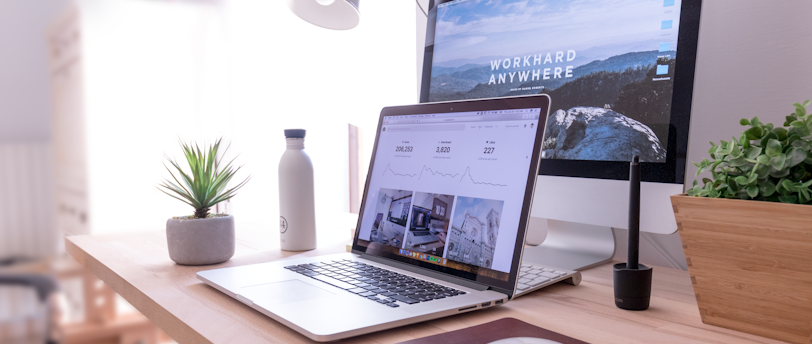
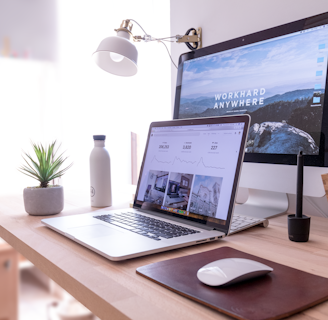
Making a Chronic Pain-Friendly Workspace Beautiful
Now that the foundation is solid, let's make it a space you actually enjoy.
Color Palette (Calming + Cohesive)
For chronic pain management, your workspace should feel calming. Overstimulation makes pain feel worse.
Recommended palette:
Base: Warm neutrals (cream, soft grey, tan, pale wood)
Accent: One soothing color (sage green, dusty blue, warm terracotta)
Accent 2 (optional): A natural texture (wood, linen, woven) for depth
Why this works: Neutral base = less visual chaos. One accent color = visual interest without overwhelm. Natural textures = grounding.
Apply it:
Desk: neutral wood
Chair: grey, tan, or cream fabric
Walls: soft white, cream, or pale grey
Accents: green plant, blue desk lamp, wooden storage
Lighting (Crucial for Pain Management)
Bad lighting causes eye strain, which causes tension headaches, which triggers flare-ups.
What you need:
Ambient light: Soft, diffused light (not harsh overhead fluorescents)
Task light: A desk lamp positioned to the side of your monitor, not shining directly at the screen
Natural light: Window nearby is ideal; if not, a full-spectrum bulb mimics daylight
Aesthetic + functional: A wooden or brass task lamp (not a harsh desk lamp) provides light while looking intentional. Warm-toned bulbs (2700-3000K) are easier on the eyes than cool white (5000K).
Pro setup: Warm ambient light + warm task light + monitor blue light filter (built into most devices) = minimal strain.
Greenery & Texture
Plants do two things: they improve air quality (subtle but real) and they're visually calming.
Low-maintenance plants for a desk:
Pothos (trails beautifully, barely needs water)
Snake plant (thrives on neglect, sculptural)
Rubber plant (statement plant, easy care)
Pilea peperomioides (trendy, does well in indirect light)
Placement: On a shelf behind your desk, or on a small plant stand in the corner. Creates depth without cluttering your workspace.
Texture adds coziness:
A linen desk pad (protects the desk + adds softness)
A small woven basket for cable management (mess hidden, visual organization)
A wood desk organizer or ceramic pencil holder


The "Cozy Corner" Setup (Optional but Powerful)
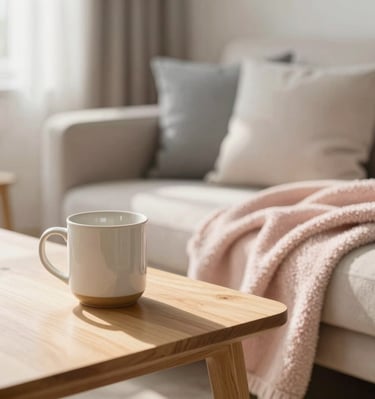
If you have the space, a small cozy corner near your workspace creates a physical reset point for breaks.
What goes there:
A comfortable chair or cushion (different from your work chair)
A small side table (for tea, water, a book)
A soft blanket or throw
A lamp (warm light)
Why it works: When pain flares mid-work, you can move to this corner, change positions, breathe, and return to work. It's a reset button that doesn't require leaving your workspace.
Real-World Setup Examples
Budget: $0-200 (Optimize What You Have)
Use your current chair but add lumbar support (a small pillow, $20-40, https://amzn.to/4yQChH7)
Raise your monitor with a stack of books or a DIY stand
Reposition your desk so the window light hits from the side
Add one plant in a pot you already own
Rearrange to create a cozy corner with furniture you have
Time to implement: 2 hours
Budget: $200-500 (Good Fundamentals)
Chairs with surprisingly good ergonomics: Vonesse, TRALT, HOLLUDLE
Monitor stand ($30-50) https://amzn.to/3Ub549n
Desk lamp ($50-80) https://amzn.to/3RQOevL
Small shelving unit for plants + storage ($60-100) https://amzn.to/3ScgPvN
Desk pad + organizer ($30-50) https://amzn.to/4bXZxZW
Plant(s) ($20-50) so many to choose from and all personal taste
Total: ~$400-500
Time to implement: 4 hours
Budget: $500-1500 (Solid Setup)
FLEXISPOT standing desk ($300-500)
COLAMY office chair ($300-400)
VIVO premium monitor arm ($80-120)
NEATFI quality task lamp ($100-150)
GARVEE shelving or storage ($100-150)
Plants + decor ($50-100) again, all personal taste
Total: ~$1000
Time to implement: Full day
The Chronic Pain Adjustment: Know Your Limits
Here's what I've learned: some days your setup needs to change.
On high-pain days, your tolerance is lower. You might need:
A heating pad behind your lower back (change position mid-morning)
Extra lumbar support (even if you don't usually need it)
Shorter work blocks (25 min work, 5 min move break)
Permission to recline the chair more than usual
A stool to rest your feet on (elevates, reduces pressure)
Permission slip: Your workspace doesn't have to be perfect every day. It has to be adjustable.


30-Day Implementation Plan
Week 1: Assess & Plan
Photograph your current setup
Identify what's causing the most pain
List what needs to change (priority order)
Budget and research options
Week 2: Foundation
Get your chair situation sorted (new chair or supportive addition)
Adjust monitor height and keyboard position
Add task lighting
Week 3: Aesthetics
Bring in plants, colors, and texture
Organize cables and desk surface
Set up your cozy corner (if applicable)
Week 4: Refine & Adjust
Live with it for a week
Adjust what doesn't feel right
Build your "high pain day" backup setup
By end of month: A workspace that supports your body, looks intentional, and makes you want to sit down.
The Bottom Line
Chronic pain management isn't just about medication or treatment. It's about designing your life so pain doesn't get the upper hand.
Your workspace is where you spend 8+ hours a week (for many, much more). Get this right, and you remove a daily source of flare-ups. You create a space where your body can relax and your mind can focus.
You deserve a workspace that doesn't hurt you. Let's build it.
What's Your Biggest Workspace Challenge?
Drop a comment below, I read every one, and I can give specific advice for your situation.
Have you already made changes to your workspace? I'd love to hear what worked for you. Share in the comments, or join our email community for weekly tips on chronic illness self-care.
Ready for more? Sign up for the 5-Day Routine Guide and get weekly emails on routines that actually work for chronic pain management.